Stream Your Piano. Show Every Key.
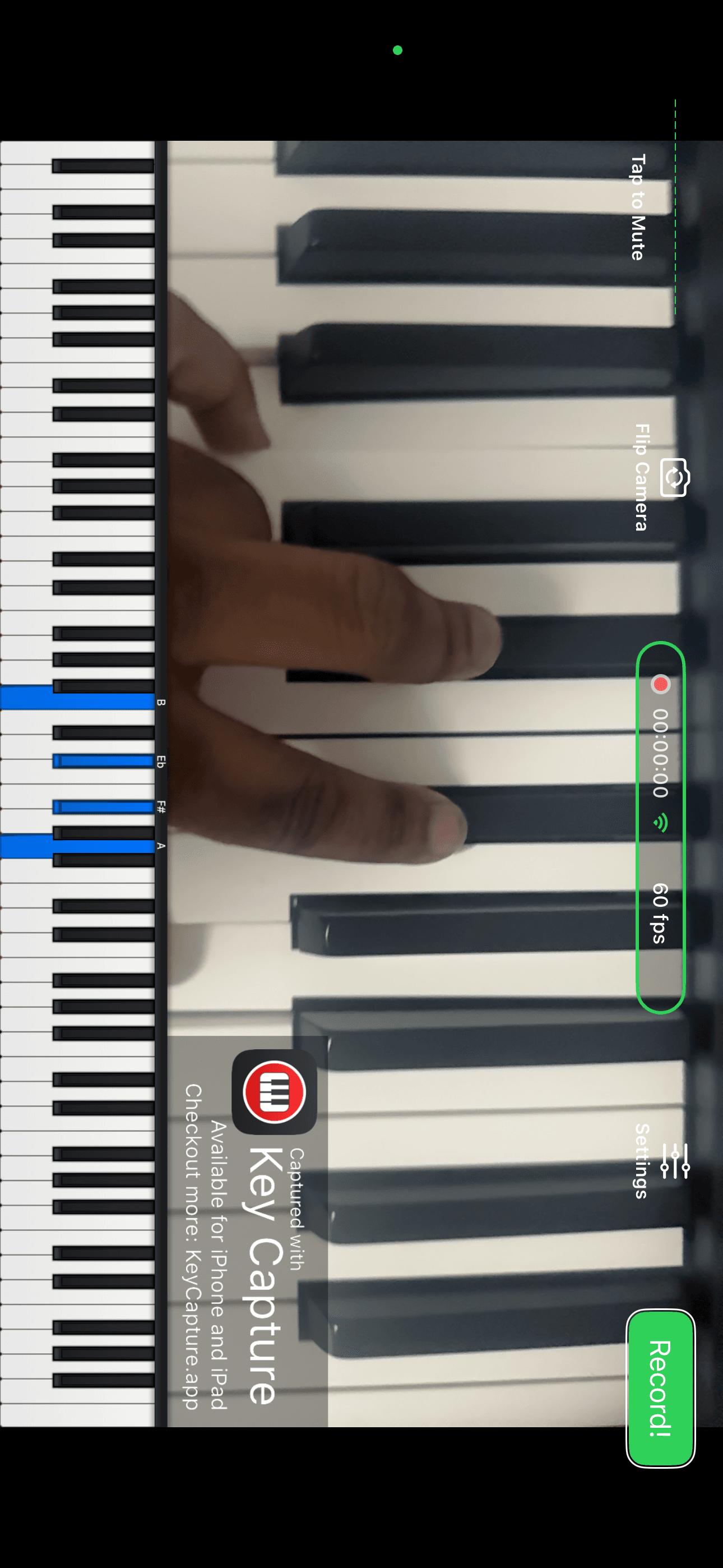
Go live to YouTube in one tap with a real-time MIDI overlay. No computer. No OBS. Just play.
Sound familiar?
You’re not alone.
You bought a capture card, an audio interface, and a mess of cables — just to show your hands on a keyboard.
You spent hours in OBS configuring scenes, audio sources, and plugins that crash mid-stream.
You went live and your viewers said ‘we can’t see what notes you’re playing.’
You just wanted to share your music. Instead, you got a part-time job in IT.
One tap. You’re live. Every note, visible.
- Your iPad is your entire production studio.
- An 88-key overlay shows every note the instant you play it.
- Stream to YouTube, Facebook, or any RTMP platform.
- You’re back to what matters: making music.
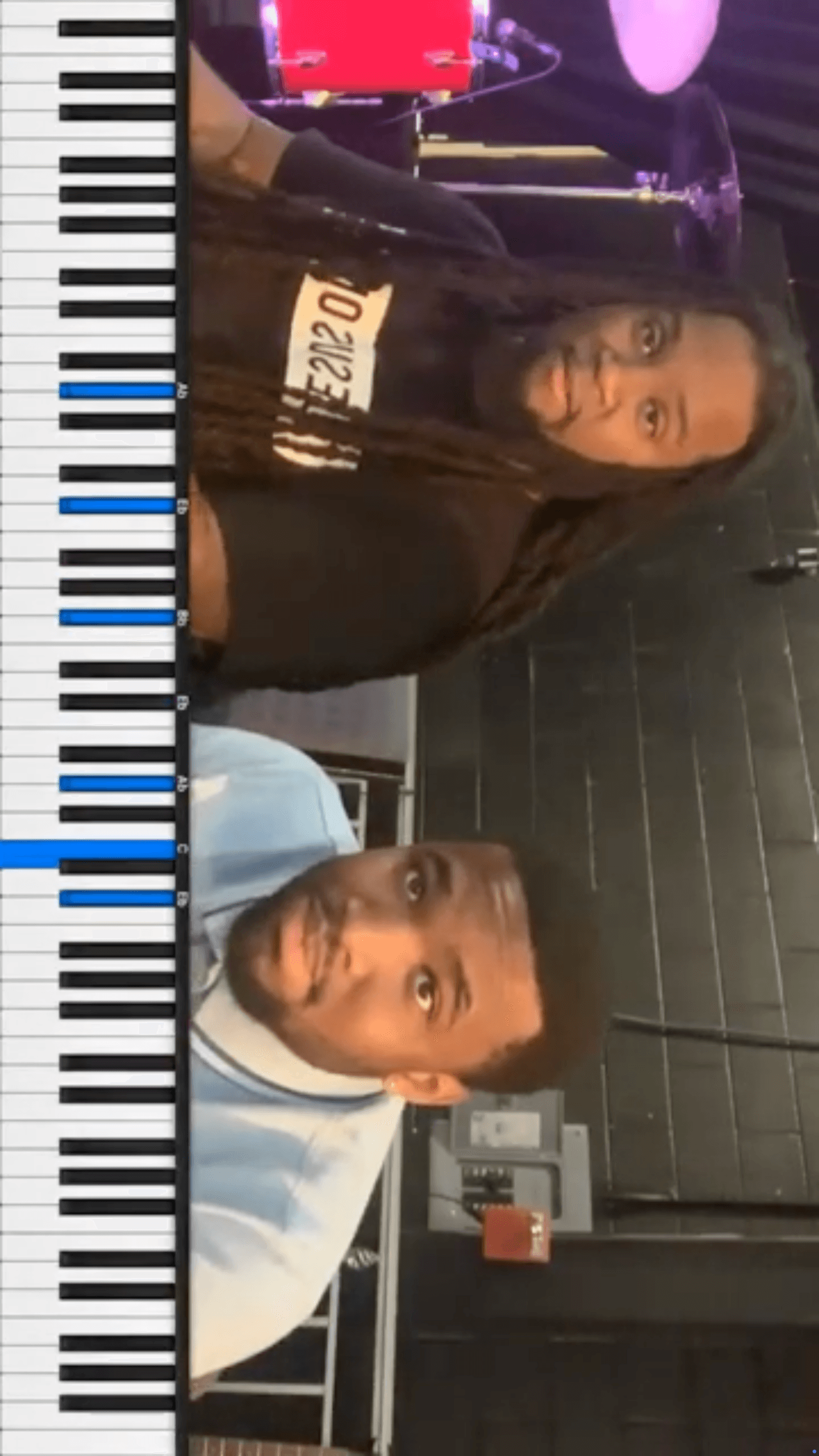
Key Capture turns your iPad into a live piano streaming studio. Connect any MIDI keyboard over Bluetooth or USB. One button to go live. No computer, no capture card, no OBS. Just you, your keyboard, and your audience.
Everything you need to go live.
One-Tap Streaming
Go live to YouTube or Facebook instantly. Or enter any RTMP URL for Twitch, Restream, or custom servers.
Live MIDI Overlay
Every key you press appears on an 88-key overlay in real-time. No delay, no sync issues.
Any MIDI Keyboard
Bluetooth LE, USB, or Apple Camera Connection Kit. If your iPad sees it, Key Capture uses it.
Local Recording
Record to your Camera Roll. Perfect for practice sessions or building a content library.
Adaptive Streaming
Stream quality adjusts automatically. No dropped frames, no buffering.
Up to 4K
720p, 1080p, or 4K. Front or back camera. Professional quality from a single device.
Live in three steps.
Connect
Pair your MIDI keyboard via Bluetooth or USB.
Set Up
Choose YouTube, Facebook, or enter an RTMP URL.
Go Live
Tap one button. Your overlay appears. You’re streaming.
Built for how you play.

Start streaming for free.
Try Key Capture with a 5-minute session limit. Upgrade when you’re ready.
- Unlimited streaming & recording
- All features included
- 2 months free
All plans include every feature. Download the app to subscribe.
See Key Capture in action.
Ready to stream your piano?
Download Key Capture and go live in under 60 seconds.
Download on the App Store